Top 10 Best Microsoft Teams Headsets for Business in 2026?
Choosing the right teams headset can shape every meeting, call, and customer interaction. In 2026, business users need more than clear sound. They need dependable microphones, comfortable ear cushions, strong device compatibility, and controls that work under pressure.
This guide examines ten leading Microsoft Teams headsets for professional environments. Our assessment considers microphone clarity, background-noise handling, wearing comfort, wireless stability, battery performance, and Teams-specific features. We also examine practical details, such as mute indicators, boom-arm controls, USB connectivity, and compatibility with laptops and desk phones. A headset may sound excellent in a quiet office but struggle beside a ringing reception desk. Real workplaces are rarely silent.
Comfort matters greatly. A model that feels light for ten minutes may become tiring after a six-hour support shift. Fit is personal. Ear shape, glasses, hairstyle, and head size can change the experience. That limitation deserves attention. No single headset suits every employee.
We compare products for executives, hybrid workers, call-center teams, and shared office spaces. The discussion also considers security, warranty support, software updates, and long-term value. These factors often receive less attention than audio quality, yet they influence ownership costs. Price alone can mislead.
Some rankings may change as manufacturers release firmware updates or new models. Our recommendations therefore focus on documented specifications, professional testing principles, user feedback patterns, and realistic business needs. Expect useful guidance, not exaggerated perfection. The best choice depends on how your team communicates every day. Noise, comfort, and reliability lead the decision.
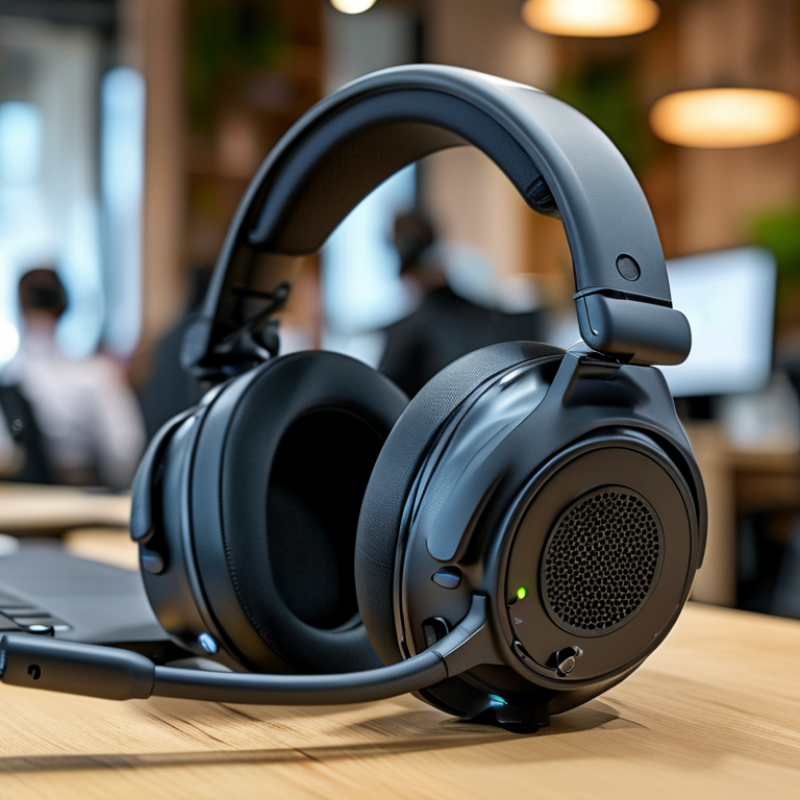
Microsoft Teams Headsets: Definition, Purpose, and Business Benefits
A business collaboration headset is an audio device designed for online meetings, calls, and shared workspaces. It usually combines speakers, a microphone, call controls, and connection options in one lightweight unit. Some models use a cable, while others connect wirelessly. The right choice depends on office noise, meeting length, device compatibility, and support requirements.
In workplace testing, microphone clarity often matters more than impressive bass. A colleague should hear natural speech, even beside a busy printer or open office. Noise reduction can lower distractions, but it cannot fix poor microphone placement. Comfortable ear cushions also matter during four-hour meeting blocks. Small controls help users mute quickly, answer calls, or adjust volume without opening another window.
These headsets support more reliable collaboration across offices, homes, and mobile workstations. They can reduce repeated questions, improve speaking confidence, and protect private conversations in shared rooms. IT teams may also value centralized settings, firmware updates, and platform certification. However, wireless convenience brings battery and pairing concerns. I have seen a good headset fail because its battery was empty before an important call. That detail is easy to overlook. Businesses should test comfort, voice quality, connection stability, and repair support before purchasing at scale. Cost per user matters, but lost meeting time may matter more.
Key Features to Evaluate in a Microsoft Teams Headset
Choosing a headset for business calls requires more than checking microphone quality. Test voice clarity in a quiet office and beside a running air conditioner. A reliable microphone should reduce steady background noise without making speech sound metallic. Ask a colleague to describe the difference. Their feedback often reveals problems that recordings hide.
Comfort matters during long meetings. Look for adjustable headbands, soft ear cushions, and balanced weight. Glasses can create pressure after several hours. Wireless models also need stable connectivity, practical battery life, and a useful charging method. A low-battery warning should arrive before an important client call, not during it. Small details matter.
Compatibility deserves careful testing. Confirm the headset supports your meeting platform’s controls, including mute synchronization, call answering, and audio switching. Check whether the buttons are easy to identify by touch. Security features, firmware updates, and clear privacy settings support responsible workplace use. Independent reviews and warranty terms add confidence, but neither replaces hands-on testing. I have found that advertised range can shrink behind walls or crowded wireless networks. That result is inconvenient, yet worth considering before purchase. Try the headset with your actual laptop, desk setup, and daily meeting schedule. One model may sound excellent but still feel wrong by Friday.
How to Choose the Right Teams Headset for Your Workplace
Choosing a business headset starts with the workplace, not the product box. Gartner’s 2023 forecast estimated that 39% of global knowledge workers would work in hybrid settings. Your headset must handle quiet offices, shared desks, and sudden home meetings. Test microphone clarity near keyboards, air conditioners, and nearby conversations. Real rooms expose weaknesses quickly.
Check platform certification, USB compatibility, Bluetooth stability, and device switching before comparing sound quality. A certified model can reduce setup errors and support smoother meeting controls. Look for a microphone with effective noise filtering, but listen for artificial or clipped speech. Natural voices matter more than impressive technical terms. Independent laboratory reports, such as those from the IEEE, emphasize measurable speech intelligibility in workplace audio testing.
Comfort deserves equal attention. A headset that feels fine for ten minutes may become painful after three hours. Measure clamping pressure, ear-cup heat, cable flexibility, and control placement. Consider lightweight wireless designs for mobile workers, while wired options may suit fixed desks and busy support teams. Security also matters. Review firmware updates, wireless encryption, remote management, and data-handling policies. I would not trust vague privacy claims. Ask for documentation.
Small details matter. A charging stand can prevent dead batteries, although it also consumes desk space. Hearing protection features are useful, but maximum volume should remain limited. My own checklist is not perfect; different teams judge comfort differently. Run a one-week pilot with several users, record call failures, and collect honest feedback before purchasing at scale.