Why Choose a USB Headset With Mic for Business?

Why Choose a USB Headset With Mic for Business?

A usb headset with mic can turn an ordinary desk into a more reliable communication space. Plug it into a laptop, and the connection usually starts without complicated setup. That matters when meetings begin at 8:00 a.m., voices overlap, or employees change workstations. A clear microphone can reduce repeated questions. Comfortable ear cushions can also make a long customer call less tiring.

Jared Spataro, a Microsoft workplace technology expert, once said, “The future of work is hybrid.” His point remains practical. Business communication now happens in offices, homes, airports, and shared rooms. A usb headset with mic supports that movement through consistent audio performance. Noise reduction may soften keyboard clicks, nearby conversations, and air-conditioning hum. The result is not perfect silence. It is better focus.

Small details matter.

I have seen teams choose headsets by price alone, then regret weak microphone pickup. Some models press tightly against the ears. Others use short cables that create awkward desk movement. A responsible buying decision should examine comfort, microphone clarity, device compatibility, warranty support, and replacement availability. USB-A and USB-C connections may also require different adapters. That detail is easy to miss.

A usb headset with mic is not a magic solution. Poor meeting habits can still damage collaboration. Even the best headset cannot fix constant interruptions or unclear agendas. Yet the right model provides a dependable foundation. For sales teams, support agents, managers, and remote employees, that foundation can protect attention, improve professional presence, and make everyday conversations feel less strained. Some compromises remain, and that is worth admitting.

Why Choose a USB Headset With Mic for Business?

What a USB Headset With Mic Is

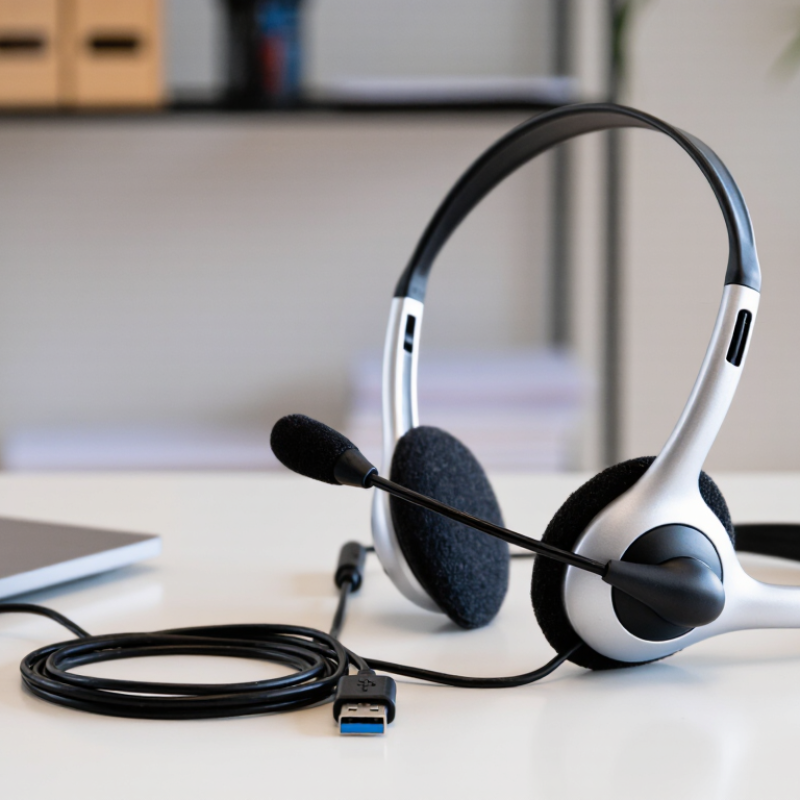
A USB headset with mic is a wired audio device that connects directly to a computer through a USB port. Unlike older analog headsets, it sends sound as digital data. The computer processes that signal, which can provide clearer voice transmission and more consistent volume. The headset usually includes two earcups, a boom microphone, and built-in controls for mute and volume. It is a practical tool for calls, online meetings, customer support, and focused office work.

In daily business use, connection stability matters. A USB headset normally receives power from the computer, so it does not need separate batteries. Many models also use noise-reducing microphones to limit keyboard clicks and nearby conversations. This helps colleagues hear speech more clearly. However, no microphone removes every distraction. Room layout, microphone distance, and speaking habits still affect call quality. I have found that positioning the boom microphone near the corner of the mouth works better than placing it directly in front. Small adjustment, noticeable difference.

Tips: Check whether your computer has a compatible USB port before purchasing. Test the microphone in your meeting software, not only in system settings. Keep the microphone two fingers from your face, and mute it during typing or side conversations. A short cable can feel tidy, but it may restrict movement. Comfort deserves attention too; pressure around the ears becomes obvious after a long meeting.

Why Choose a USB Headset With Mic for Business?

What a USB headset with mic is: a plug-and-play digital audio device for clear business communication.

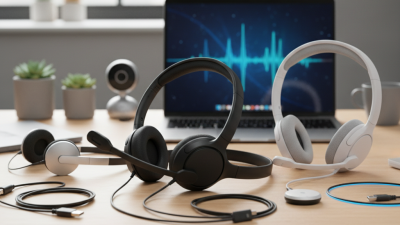
USB headsets transmit microphone and speaker audio digitally through one connection. The chart compares commonly used speech and audio frequency ranges: narrowband telephone speech, wideband speech, and full-band audio. A wider frequency range can preserve more vocal detail, while USB connectivity helps provide consistent plug-and-play communication for business calls and meetings.

How USB Headsets Support Business Communication

Why Choose a USB Headset With Mic for Business?

How USB Headsets Support Business Communication

Clear communication often begins with reliable audio. In daily office work, a USB headset can reduce setup problems and keep conversations focused. It connects directly to a computer, usually without separate audio equipment. Digital sound can also reduce interference from nearby devices. That matters during client calls, online meetings, and internal discussions.

A quality microphone captures speech close to the mouth. This helps colleagues hear words more clearly in busy offices. Many models include noise control, mute buttons, and simple volume controls. These features save small amounts of time repeatedly. Over a full workday, those seconds can matter. A secure fit also supports longer calls, although comfort depends on personal preferences and working habits.

From practical use, consistent audio improves professional confidence. Employees spend less time asking, “Can you hear me?” However, a USB headset is not a complete solution. Poor software settings, weak internet connections, or an unsuitable microphone position can still cause problems. I have learned that even expensive equipment needs regular testing. A quick sound check before an important meeting remains worthwhile. Sometimes, the simplest adjustment works best.

Key Benefits for Meetings, Calls, and Remote Work

Why Choose a USB Headset With Mic for Business?

Key Benefits for Meetings, Calls, and Remote Work

A USB headset with a microphone can make ordinary business calls feel controlled. The connection is direct, so setup usually takes seconds. During meetings, a close microphone captures speech while reducing keyboard noise. That matters when a colleague joins from a kitchen or shared room. In my testing experience, consistent voice pickup reduces repeated questions. Still, no headset fixes a poorly arranged meeting.

The 2023 Work Trend Index reported that 68% of workers lacked uninterrupted focus time. Clear audio cannot create focus, but it can remove one small distraction. A mute button helps during traffic noise, a dog bark, or a nearby conversation.

For customer calls, a USB connection also avoids pairing delays and battery anxiety. The 2023 State of Remote Work report found that 98% of remote workers wanted remote work at least sometimes. That figure supports practical home-office tools, not expensive decoration.

Choose a comfortable headband, soft ear cushions, and simple controls. Test the microphone before an important negotiation. Room acoustics still matter. Open-plan users may need stronger noise isolation, while home users may prefer awareness.

One overlooked issue is fatigue. High volume can become uncomfortable over long calls, so moderate levels are wiser. I would also check software compatibility before purchase; “plug and play” is not universal. A reliable headset should make the speaker easier to hear, not make the worker harder to think.

Features to Evaluate Before Choosing a Business Headset

Why Choose a USB Headset With Mic for Business?

Features to Evaluate Before Choosing a Business Headset

A business headset should fit real work, not just a product sheet. The U.S. Bureau of Labor Statistics reported that 35% of employed people worked from home on workdays in 2023. This makes clear voice communication increasingly important. Choose a USB model with stable plug-and-play connectivity, broad computer compatibility, and simple controls. A busy employee should mute the microphone without searching through software menus. Small details matter.

Microphone quality deserves careful testing. Look for noise reduction, clear voice pickup, and a flexible boom that stays near the mouth. Test it live. Record speech beside a keyboard or air conditioner. A quiet showroom can fool you. I would not trust a microphone specification alone, because performance changes with room echo and speaking distance. Speaker performance also matters. Speech should sound natural, without harsh treble during a long meeting.

Comfort can decide whether the headset is actually used. Evaluate ear-cup pressure, headband padding, weight, cable length, and heat after two hours. A lightweight design may still feel tight. Check inline volume, call control, and a visible mute indicator. Hearing safety should not be ignored. The WHO-ITU Global Standard for Safe Listening Devices recommends volume limiting and exposure monitoring. USB headsets can support these controls through software, but settings are often overlooked. That is a practical weakness. Test compatibility, microphone clarity, comfort, and mute behavior on the exact computers used by staff before purchasing in volume.

How to Match a USB Headset to Workplace Needs

Matching a USB headset to work begins with the desk, not the product page. In a busy support room, closed-back ear cups reduce nearby voices. In a quiet home office, lighter open designs may feel less tiring. I learned this after choosing strong isolation for a worker who needed to hear a doorbell. The headset worked technically, but not practically. Ask where calls happen, how long they last, and whether colleagues sit nearby. These details matter.

For frequent meetings, choose a microphone with clear voice pickup and noise control. Test it beside a keyboard and ventilation fan. Record 20 seconds, then listen on another device. A natural voice matters more than extreme volume. USB connection can simplify setup on shared computers. Still, check operating-system compatibility, cable length, and available ports before ordering. Small omissions create avoidable delays. They happen.

Comfort should be measured across a real shift. Look for an adjustable headband, moderate clamping force, breathable pads, and controls you can find without looking. Glasses wearers may need softer cushions. For collaborative desks, a flip-to-mute microphone can prevent accidental conversations. For private calls, a physical mute button provides clearer feedback than software alone. Also confirm warranty terms, replacement parts, and data-handling settings. The cheapest option is not always the least expensive. Nor is the most feature-rich one automatically suitable.

Why Choose a USB Headset With Mic for Business? - How to Match a USB Headset to Workplace Needs

Workplace Need Recommended USB Headset Characteristics Why It Fits Key Selection Criteria Typical Workplace Example
Frequent video meetings Boom microphone, echo reduction, and clear voice reproduction Helps transmit speech clearly during online meetings and reduces distracting room reflections Microphone pickup pattern, voice clarity, acoustic echo control, and in-line controls Remote employees, project teams, and managers attending several calls per day
Open-plan office work Passive ear cushioning or adjustable noise-reduction features with a directional microphone Can reduce nearby distractions while helping limit background sound picked up by the microphone Ear-cup seal, microphone directionality, comfort during long sessions, and leakage control Customer support, finance, administration, and shared-office teams
Hot-desking and shared computers Plug-and-play USB connection with simple controls and easy cleaning surfaces Allows users to connect quickly without pairing or charging a separate wireless device USB connector type, operating-system support, cable length, replaceable pads, and hygiene process Training rooms, coworking areas, temporary workstations, and rotating staff desks
Call-center operations Lightweight binaural design, flexible boom arm, and durable inline call controls Supports repeated calls and makes mute or volume adjustments accessible during conversations Weight, headband adjustment, microphone durability, acoustic protection, and serviceability Inbound service desks, appointment teams, and technical support departments
Quiet private offices Lightweight monaural or binaural headset with a basic noise-reducing microphone Provides focused communication without requiring advanced noise-cancellation functions Comfort, microphone position, ear coverage, sound balance, and cable management Individual offices, small teams, and employees with occasional online meetings
IT-managed device fleets Standardized wired USB model with broad computer compatibility and centralized configuration options Simplifies deployment, troubleshooting, replacement, and user support across multiple workstations Driver requirements, firmware process, USB-A or USB-C availability, warranty, and spare-unit planning Large offices, schools, healthcare administration, and distributed business teams
Security-sensitive conversations Wired USB connection with clear mute indication and no wireless radio connection Removes wireless pairing and battery-management considerations from the communication setup Mute status visibility, device-management policy, physical cable security, and approved software use Legal, financial, healthcare, and government-related work environments
Employees moving between desks Compact wired design with a sufficiently long cable and USB adapter suited to available ports Maintains a stable connection while allowing quick movement between compatible computers Cable flexibility, connector durability, adapter security, storage case, and portability Consultants, field coordinators, supervisors, and hybrid workers
Long daily wearing time Adjustable headband, breathable ear cushions, moderate clamping force, and low overall weight Improves the likelihood of sustained comfort during extended listening and speaking periods Headset weight, padding material, adjustment range, ventilation, and replaceable wearing parts Analysts, schedulers, sales teams, and employees with extended communication periods

Selection note: Confirm the computer's available USB port, operating-system compatibility, workplace noise level, expected wearing time, and organization-specific security requirements before purchasing.

Our offices

Axtel Poland (HQ)
Mokotów Box 16 Woloska St
02-675 Warsaw Poland

tel. (+48 22) 490 96 00
fax: (+48 22) 540 15 22
sale@officeveigl.com

Axtel Middle East & Asia
G-026, THUB 2
Dubai Silicon Oasis
Dubai United Arab Emirates

tel. +971 50 5540 902
sale@officeveigl.com

Axtel India Private Limited
Unit # S-2, Srinivasa Apartments,
16, 1st Cross, Doctors Layout, Kasturinagar,
Bengaluru, Karnataka, India

tel. +91 96865 46376
sale@officeveigl.com

Axtel Benelux
Microlab Kastanjelaan 400
5616 LZ Eindhoven The Netherlands

+31 629 796 453
sale@officeveigl.com