
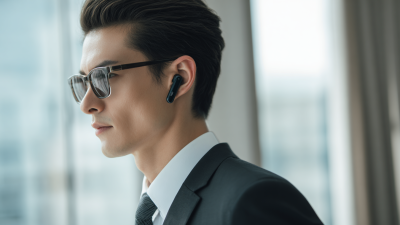


Top Wireless Headphones for Work in 2026

Choosing wireless headphones for work in 2026 means balancing clear calls, lasting comfort, dependable battery life, and useful noise control. The need for focused time is real. Microsoft’s 2023 Work Trend Index reported that 68% of surveyed people lacked enough uninterrupted focus time during the workday. Separately, Owl Labs’ 2023 State of Hybrid Work found that 62% of surveyed workers felt more productive working remotely. That finding describes work location, not headphone performance, but it helps explain why personal audio matters to many hybrid teams.

This guide compares leading models through practical workday needs: microphone clarity in a busy room, comfort during long meetings, multipoint connectivity, mute controls, and battery life. It also considers how well each headset handles a commute, a shared office, or the soft clatter of a home keyboard. Small details matter. Active noise cancellation can reduce steady background hum, but it will not make every open office silent. Nor does a high price guarantee a comfortable fit or natural-sounding calls. The recommendations therefore weigh manufacturer specifications alongside independent testing and real-world usability, while noting where evidence or performance varies. Some trade-offs remain personal; that is worth admitting. The right wireless headphones for work should make calls and concentration easier, without adding another daily frustration.

Top Wireless Headphones for Work in 2026

What Makes a Wireless Headphone Suitable for Work in 2026

Top Wireless Headphones for Work in 2026

What Makes a Wireless Headphone Suitable for Work in 2026

A work-ready wireless headphone should make calls clear, reduce distracting noise, and stay comfortable through long meetings. Look for a boom or well-tuned built-in microphone, physical mute controls, and reliable multipoint pairing for a laptop and phone. Active noise cancellation helps with steady sounds, such as an air conditioner, but it will not erase nearby conversations. Fit matters, too: tight earcups can become tiring before the workday ends. Small details count.

Safe listening deserves attention. The WHO-ITU Global Standard for Safe Listening Devices and Systems sets 80 dB for up to 40 hours a week as a reference exposure limit for adults. That is not a target volume for every situation; quieter is better when practical. Check whether volume limits are adjustable, and test call quality in the room where you actually work. Specifications alone can mislead.

Key Features for Calls, Comfort, and Focus

For work in 2026, wireless headphones should make calls clear, stay comfortable through long meetings, and help you control distractions. A microphone with effective background-noise handling can reduce keyboard taps, but it cannot fix a loud room. Look for an easy-to-find mute control and sidetone, which lets you hear your own voice naturally. Test calls in both a quiet room and a busy one; performance can change noticeably. That detail is easy to overlook.

Comfort depends on more than soft ear pads. A light frame, gentle clamp, and breathable cushions matter after a two-hour video block. Active noise cancellation can soften HVAC hum, while transparency mode keeps nearby voices audible when needed. For focus, stable Bluetooth, simple device switching, and buttons you can use without looking may matter more than extra app settings. Battery claims are only part of the picture; check whether quick charging can cover an unexpected afternoon call. Even good headphones can feel warm by late day, so comfort is personal.

Tips: Wear them for 30 minutes before buying, make a sample call, and check the fit with glasses. Keep the volume moderate and take short breaks. Fit is still hard to judge from specifications alone.

Top Wireless Headphones for Work in 2026 - Key Features for Calls, Comfort, and Focus
Work Feature What to Look For Why It Matters What to Verify
Microphone performance Multiple microphones and call noise-reduction processing. Can make speech clearer by reducing some surrounding noise, but cannot remove every sound or guarantee voice quality in all environments. Test calls in the actual work setting, including with keyboard noise and nearby conversation.
Active noise cancellation Adjustable ANC, with a transparency or ambient-sound mode if needed. ANC generally works best against steady, low-frequency sounds; sudden sounds and nearby speech may remain audible. Try the headset with the kinds of noise present in the workplace. Check whether ANC affects call or listening comfort.
Device connectivity Bluetooth multipoint if you regularly use both a computer and a phone. Multipoint can keep a headset connected to two devices, but automatic switching and call handling differ between models. Confirm that the feature supports your devices and test switching during a call or meeting.
Wireless range A stable connection throughout the intended workspace. Bluetooth range depends on the headset, connected device, obstacles, and radio interference; walls can reduce usable range. Check the rated range and test the connection from your usual desk and meeting area.
Battery life A rated runtime that covers your workday, with ANC use taken into account. Battery life varies with volume, ANC, call use, and other settings. Published figures may be measured under specific conditions. Compare the manufacturer’s stated runtime with ANC on and off, and check charging time and battery-status indicators.
Long-wear comfort Low weight, a secure but comfortable fit, and breathable ear cushions. Fit, head shape, glasses, and clamp pressure affect comfort differently for each person. Try the headset for an extended session; check pressure points, heat, and whether the ear cups fully surround your ears.
Listening isolation A closed-back design for shared offices or private calls. Closed-back ear cups help limit sound leakage. Open-back designs let more sound pass in and out, which can be distracting in shared spaces. Check how much sound leaks at your usual listening volume, especially in quiet rooms or open offices.
Meeting controls Easy-to-reach mute, volume, and call controls, plus a clear mute indicator. Physical or clearly accessible controls can make common meeting actions easier, but controls and app support vary. Confirm mute behavior in your meeting software and check whether the headset gives a visible or audible mute status.
Wired fallback A supported wired audio option or a compatible computer audio adapter. A wired connection can be useful if the battery is depleted or wireless performance is unreliable; not every wireless headset supports wired audio. Check whether the cable carries audio, whether it supports the microphone, and whether the headset can be used while charging.

How Leading Models Compare in Work Performance

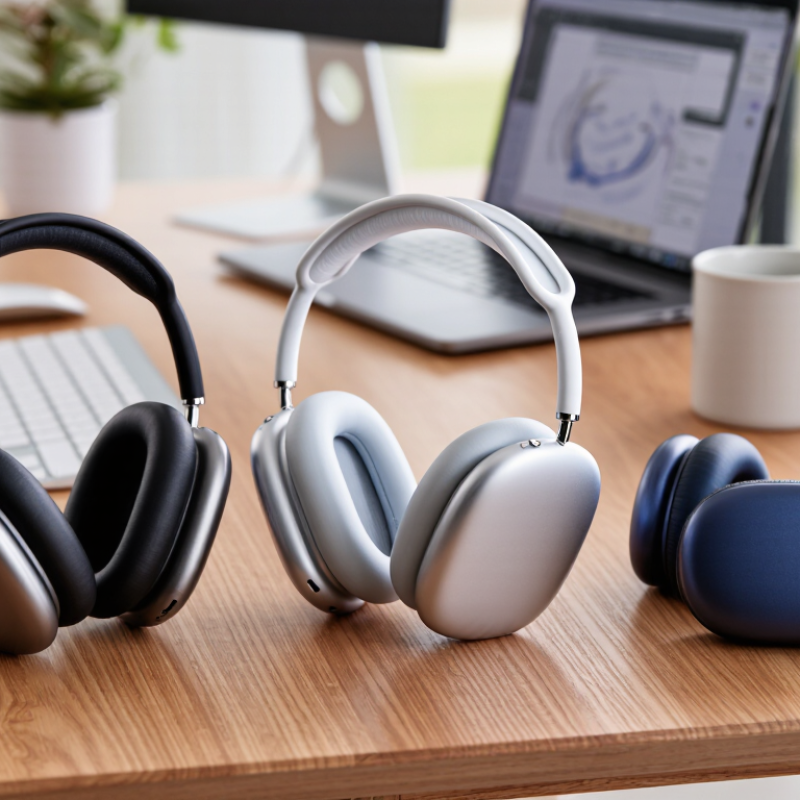
For 2026, the strongest wireless headphones for work balance clear calls, comfortable wear, and dependable connections. Full-size noise-cancelling models can soften air-conditioning hum and nearby conversations. Their larger earcups may feel warm during a long afternoon, though. Lightweight models are easier to wear between meetings, but often block less surrounding noise. Neither choice suits every desk.

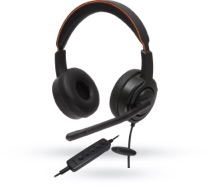
Microphone quality can matter more than advertised battery life. In a practical comparison, listen for steady speech when a fan is running, then check whether keyboard taps become distracting. A boom-style microphone often keeps the voice close and clear; built-in microphones look neater but may sound thinner in a busy room. That difference is audible. Multipoint pairing helps when switching between a laptop and phone, yet automatic handoffs can occasionally interrupt a call. Comfort is harder to measure: glasses, head shape, and clamping pressure change the experience. A short shop-floor test cannot predict an eight-hour shift, and neat comparison scores may hide that limitation. Before choosing, check call controls, connection stability, and whether the headphones stay comfortable after an hour.

Top Wireless Headphones for Work in 2026 — How Leading Models Compare in Work Performance

Advertised battery life with active noise cancellation enabled, shown for anonymized over-ear headphone models.

Longer battery life can reduce interruptions during extended workdays. These are manufacturer-published maximum figures; actual battery life varies with settings and usage.

Top Wireless Headphones for Different Work Settings

An open-plan office needs headphones that soften nearby conversations without making voices sound distant on calls. Choose adjustable noise control, so you can hear a colleague approaching or catch an announcement. A boom microphone can help during frequent meetings, while a quick microphone mute is useful when a delivery arrives mid-call. Test call quality in a busy room if possible; quiet-room demos can be misleading. Comfort matters by mid-afternoon. Glasses, warm ears, and tight headbands can turn a promising pair into a distraction.

For a home office, prioritize a stable wireless connection and controls you can use without looking away from your screen. Multipoint pairing helps when calls switch between a laptop and phone, though it can behave inconsistently with some devices. On a commute, a compact folding design and a secure fit may matter more than powerful noise cancellation. Keep awareness of your surroundings near traffic. For shared workspaces, a lightweight headset with a clear microphone may be easier to wear and pack. Check battery claims against your actual routine, and notice how the headphones sound with your own voice. Small annoyances count. A touch control that pauses music every time you adjust the ear cup is still an annoyance.

How to Choose a Headphone for Your Workday and Budget

Choosing wireless headphones for work starts with your actual workday, not a feature list. In a shared office, effective noise reduction can soften ventilation and nearby conversation, while a clear microphone matters during calls. At home, comfort may matter more than maximum noise cancellation. Try wearing a pair for at least twenty minutes; pressure around the ears can become distracting later. Small detail, big difference. Check whether the controls are easy to find without looking, especially when muting yourself during a meeting. Multipoint connection can help if you switch between a laptop and phone, but it is not essential for everyone.

Set your budget around the features you will use daily. A lower-cost model may be sensible if calls are occasional and wired backup is available. For frequent meetings, look for microphone tests recorded in ordinary noisy rooms, not only manufacturer claims. Battery life should cover your longest work block, with some reserve; advertised figures may vary by volume and connection settings. If possible, test the fit and return policy before committing. There is no perfect shortlist for every desk. Paying extra for advanced noise cancellation can be wasteful in a quiet room, and saving money on a poor fit can cost you comfort by midafternoon.

Our offices

Axtel Poland (HQ)
Mokotów Box 16 Woloska St
02-675 Warsaw Poland

tel. (+48 22) 490 96 00
fax: (+48 22) 540 15 22
sale@officeveigl.com

Axtel Middle East & Asia
G-026, THUB 2
Dubai Silicon Oasis
Dubai United Arab Emirates

tel. +971 50 5540 902
sale@officeveigl.com

Axtel India Private Limited
Unit # S-2, Srinivasa Apartments,
16, 1st Cross, Doctors Layout, Kasturinagar,
Bengaluru, Karnataka, India

tel. +91 96865 46376
sale@officeveigl.com

Axtel Benelux
Microlab Kastanjelaan 400
5616 LZ Eindhoven The Netherlands

+31 629 796 453
sale@officeveigl.com